

MetaTrader 4 — forex trading platform technical analysis, order execution, and
automated trading

Why Choose MetaTrader 4

MetaTrader 4 brings market quotes, interactive charts, order execution and account information into a single forex trading terminal. Traders can move from market analysis to order management without switching platforms, while forex trading conditions remain determined by the connected broker and account.
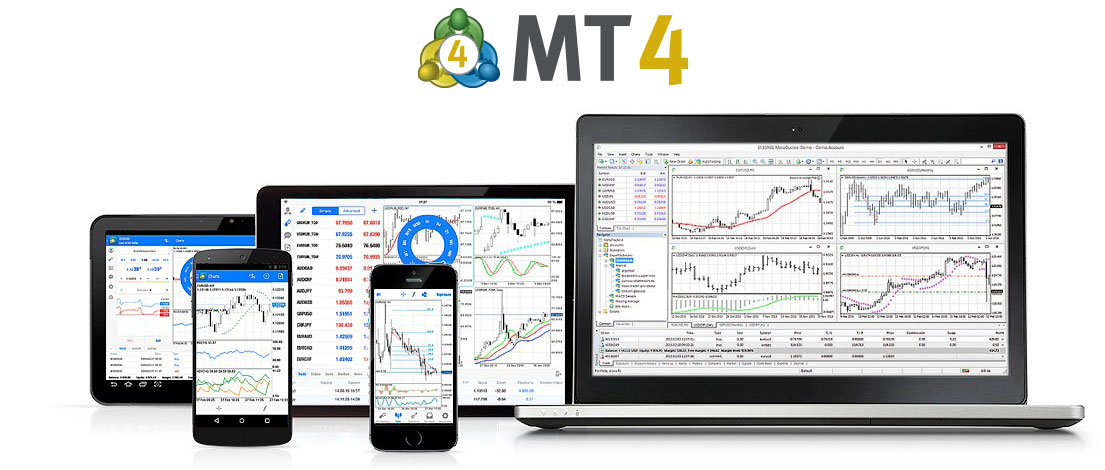
From live quotes and chart analysis to market orders, pending orders, Stop Loss, Take Profit and position monitoring, MetaTrader 4 keeps the main trading workflow inside one desktop workspace.

For automated trading, MetaTrader 4 supports MQL4, Expert Advisors, MetaEditor and Strategy Tester. Trading signals remain a separate platform service rather than part of the core order-execution workflow.
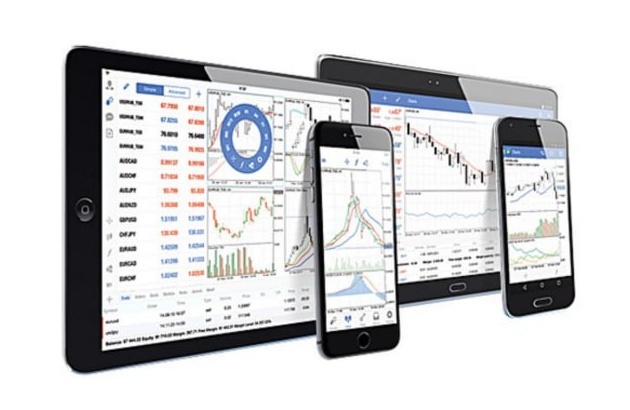
Charts Forex Signals Automation
MetaTrader 4 Platform

MetaTrader 4 Trading Platform Features

MetaTrader 4 combines market data, interactive charts, technical indicators, order execution and automated trading tools in one terminal. Traders can analyze price movement, place and manage orders, monitor open positions and account data, and extend the workflow with MQL4 programs and Expert Advisors.

Key capabilities
Forex Quotes Chart Analysis Technical Indicators Order Execution Expert Advisors Account Management
Technical Analysis

Interactive Charts and Technical Analysis

MetaTrader 4 provides 9 chart timeframes, 30 built-in technical indicators and graphical analysis tools for studying trend direction, momentum, support, resistance and changing price structure.

Trading System

Order Execution and Automated Trading

Manual traders can work with market orders, pending orders and protective levels, while Expert Advisors can monitor market data and execute predefined logic when automated trading is enabled.

How MetaTrader 4 Connects Analysis and Trading

The MetaTrader 4 workflow starts with broker-supplied quotes, moves through chart and technical analysis, then continues into order execution, position management and account monitoring. Automated strategies can run alongside the same desktop trading process.

Technical Analysis Signals Trading Access
Trading workflow

From Market Quotes to Order Execution

Market Watch displays the symbols and prices available through the connected server. Traders can open charts, apply analysis tools, submit orders, adjust Stop Loss or Take Profit, and continue monitoring positions and account values from the same terminal.

Market Quotes and Technical Analysis

Switch between chart timeframes, apply indicators and use drawing tools to compare short-term price action with broader market structure.

Order and Account Management

Open or modify orders, monitor active positions and keep balance, equity, margin information and completed trade history available in the terminal.

MQL4 and Expert Advisor Automation

On desktop, MQL4, MetaEditor and Strategy Tester support the development, testing and optimization of Expert Advisors that run predefined analysis or trading logic.

MetaTrader 4 Frequently Asked Questions

Answers to common questions about MetaTrader 4, its trading system, technical analysis, Expert Advisors, broker connections and platform limits.

What is MetaTrader 4?

MetaTrader 4, commonly called MT4, is a forex trading platform developed by MetaQuotes. It is used to view market quotes, analyze charts, place and manage orders, monitor trading accounts and run Expert Advisors.

What are the main MetaTrader 4 trading features?

MetaTrader 4 can be used to monitor quotes, analyze charts, work with technical indicators, place market and pending orders, manage positions, review account history and run Expert Advisors on desktop.

Does MetaTrader 4 provide brokerage or investment services?

No. MetaTrader 4 is trading software. Real trading accounts, tradable symbols, pricing and execution conditions are provided by the broker or trading service connected to the terminal.

How does MetaTrader 4 support automated trading?

The desktop terminal supports MQL4 programs and Expert Advisors. MetaEditor is used to write and compile code, while Strategy Tester is used to test and optimize Expert Advisors on historical data.

Does MetaTrader 4 decide which instruments are available?

No. MT4 displays the instruments and conditions supplied by the connected trading server. Symbols, pricing, leverage and other account-specific settings can differ between brokers and account types.

Can MT4 or an Expert Advisor guarantee profit?

No. MT4 and Expert Advisors are tools for analysis, execution and automation. They cannot guarantee profit or remove risks from volatility, leverage, slippage, liquidity, execution conditions or strategy failure.

MetaTrader 4 User Reviews

Selected App Store feedback covering ease of use, charting, alerts, mobile trading and the areas users still want improved.

★★★★★

“Overall, it’s a great app. If you’ve only used Trading View, it will take some time getting used to.”

M.Smith91Great app | App Store
★★★★★

“Awesome app, only problem is that it needs to be able to add alerts.”

brenn996Great app, needs a little work | App Store
★★★★☆

“Seriously I love this app it’s amazing but please update the chart system already 🤘🏽”

BrayionMT4 Chart | App Store
★★★★★

“Love how mobile friendly it is. Definitely runs well and it is simple and easy to use!”

ChitanianGreat app! | App Store
★★★★☆

“Giving 4 stars because it is somewhat basic, although very reliable and simple to use.”

igrusu93I wish you add more perks | App Store
★★★★★

“The whole app is easy on the eye and easy to navigate.”

Pip_WhispererMy constant companion | App Store
MetaTrader 4 logo MT4

MetaTrader 4 Mobile Trading and Platform Services

Learn more